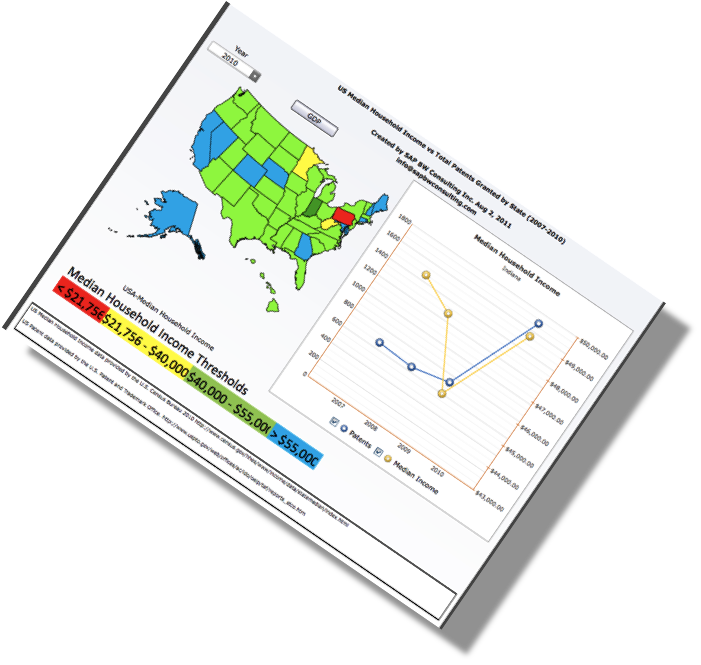
xCelsius Dashboards Tips and Tricks
After several complex xCelsius executive dashboard end-to-end implementation projects, we have learned quite a few tips and tricks. The Executive Dashboards we've been able to deliver are delivering Key Performance Indicators (KPIs) and other important Performance Metrics to the C-Suite in clients all over the world.
xCelsius Best Practices
We thought we would share some of what we consider our Top 10 xCelsius Dashboard Best Practices:
- Get test data into your Dashboard Designer hand's early.
- Before you start, ensure all tools are actually working!
- Use the SAP Product Availability Matrix, or PAM, available at service.sap.com to determine what you will need from a software license perspective as well as compatibility and pre-requisite standpoint.
- When in a typical SAP BW 3.x-Crystal Reports-LiveOffice-xCelsius environment, the toughest part is in the SAP BW environment.
- Building Cross-Tab Reports in Crystal Reports can be a challenge.
- Security settings must be correctly set for each tool, and the BOE or Business Objects Enterprise is your central hub. Make sure you have skillsets on the team who can manage it.
- When working remotely, you will not be able to do a table top sketch effectively-so build it and they will come, and revise, and revise and revise. This is a good thing.
- LiveOffice tends to forget it is linked and you will have to reset it often. This indicates you have, among other issues, security issues somewhere in the tool chain.
- It will take much longer than you expect to build a dashboard in a real-time environment, however, real-time environments are what are the most useful to the end user.
- Even when it is 'obvious' how you use the dashboard, extensive, highly documented, reuseable, end-user training is the only way you will assure success. Success means users are actually using the dashboard 6 months after you finish the project!
Continuous Data Validation
We've also found that many clients want us to periodically check the veracity of the data their xCelsius based Executive Dashboards are delivery. That's why a bonus best practice is to have our team perform a monthly data verification and validation check on the data.
Want to know more.
Bonus: 11. Dashboards tend to reveal issues with the ERP system and you will need to have other SAP expertise available, i.e., LIS experts, WM, FI/CO, etc., to make those adjustments to the core ERP system.
We would also like to hear your comments and some of your Best Practices. Please comment or link to us!
People Who Read This Also Read:
- Top 10 Tips & Tricks for xCelsius Dashboard Development
- 10 Ways to Create xCelsius Based Dashboards for External Entities
- Dashboards vs Aircraft Cockpits
- 10 SAP BW Project Estimation Best Practices to Roll-Out Today
- 10 Advanced SAP BW Project Estimation Techniques
- Take a Deeper Dive into Aircraft Cockpits Vs Dashboards